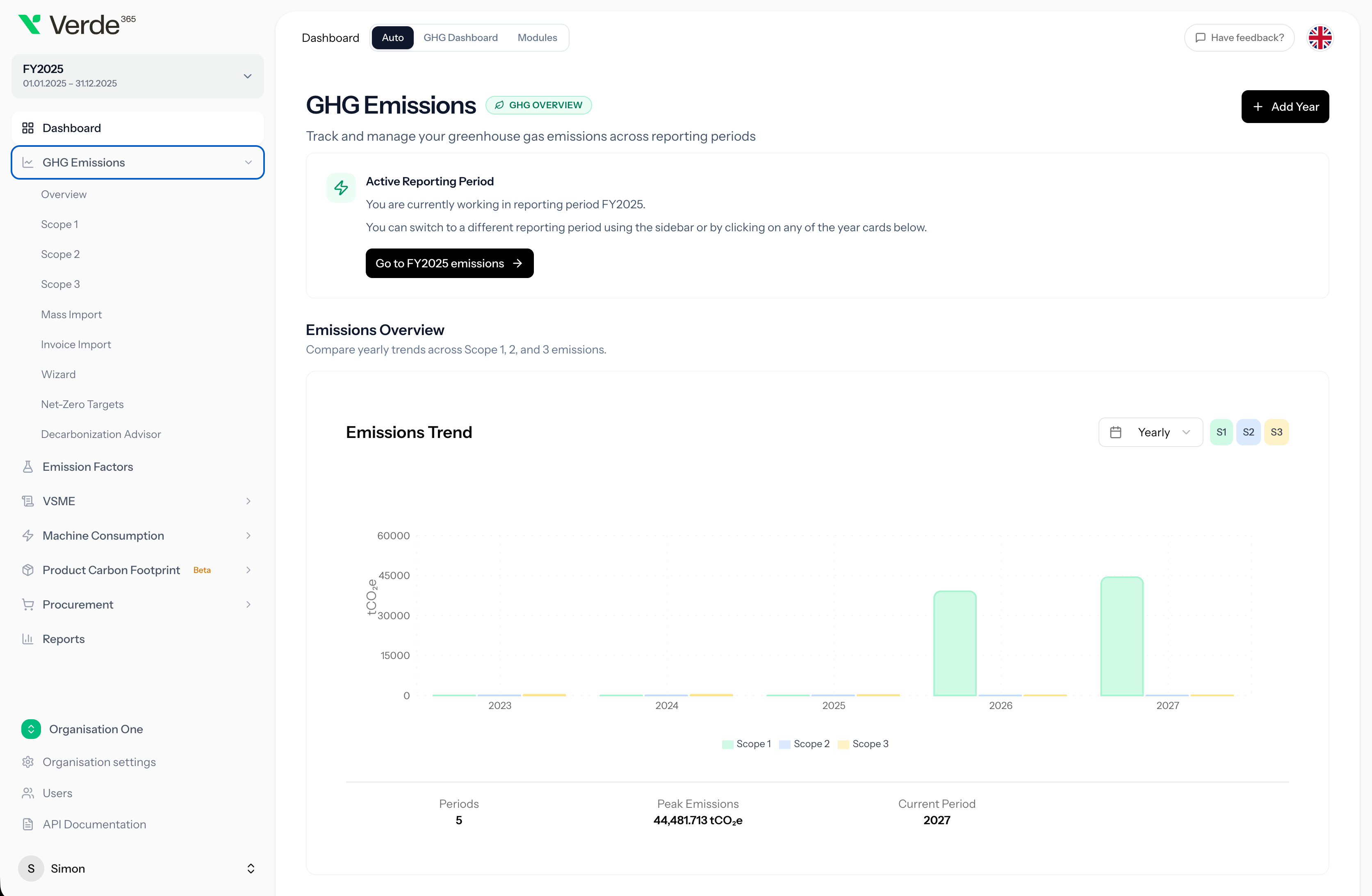
Verde365 helps your team import emissions data from CSV and Excel, validate activities, match emission factors, review results, and generate a structured GHG report for your active reporting period.


Verde365 reads invoice and bill data, extracts the activity, and queues each line item for review — no more copy-paste from spreadsheets, no more rebuilding the same import every quarter.
Verde365 scores every emission category on impact, implementation difficulty, and payback. Your team gets a prioritised list of reductions — from quick wins to capital projects — with cost estimates and the rationale already attached.
Most companies do not start carbon reporting with a perfect system. They start with energy bills, fuel logs, travel records, purchased goods data, supplier files, invoices, and spreadsheets from different departments.
That creates the same problems every reporting period: inconsistent formats, missing fields, unclear activity categories, manual emission factor lookup, duplicate records, version-control issues, and reports that are hard to explain.
Verde365’s GHG Import & Reporting service helps your team move from scattered data to a structured Scope 1, 2, and 3 inventory inside Verde365.
This service is designed to help your team get from raw emissions data to a usable first report quickly, without spending months rebuilding spreadsheets.
We help prepare your CSV or Excel data for import, including activity fields, quantities, units, categories, and reporting-period structure.
Verde365’s mass import workflow processes your data, flags issues, supports bulk editing, and helps your team review import lines before confirmation.
Match activities to relevant emission factors using Verde365’s AI-assisted emission factor matching, with support for custom organization-level factors where needed.
Create structured GHG activities across scopes, categories, quantities, and reporting periods, with support for spend-based activities and gas-level breakdowns.
Generate a report using Verde365’s report builder with scope and category filters, period comparison, and PDF/Excel export.
Your team gets a clear walkthrough of the imported data, dashboard, reports, review workflow, and next steps for future reporting periods.
Walk through a live import workflow with a Verde365 GHG reporting expert.
Corporate carbon reporting is not one-size-fits-all. Verde365’s GHG module supports the details teams need when building a defensible inventory.
Review emissions by scope for the active reporting period, then drill into activity listings and categories.
Support both market-based and location-based Scope 2 methods, including renewable certificate percentages where relevant.
Track emissions across gases including CO₂, CH₄, N₂O, HFCs, SF₆, NF₃, and PFCs.
Capture side values such as biogenic and non-Kyoto emissions where they are needed for reporting.
Quickly calculate Scope 3 emissions using spend-based methods to identify the categories, suppliers, and activities with the highest impact. Use hotspot insights to prioritize where more detailed activity-based data collection and improvement efforts will create the most value.
Add organisation-level emission factors with multi-gas composition, source documents, year and location metadata, and usage tracking.
After import and review, Verde365 helps your team create structured GHG reports using templates, filters, comparison views, and export options.
Once your activities are structured in Verde365, the same platform can support reporting, net-zero planning, product carbon work, machine consumption tracking, and VSME workflows.
Use historical emissions and reporting-period data to support SBTi v1.3-aligned target calculations, including near-term and long-term pathways.
Generate sector- and scope-aware recommendations, identify low-hanging fruit, and create downloadable decarbonization reports.
Connect corporate emissions data with product-level carbon workflows, including BOM-based PCF, production activities, transport, process maps, and PCF reports.
Learn moreTrack machines, locations, imports, and period-over-period consumption comparisons to improve operational carbon data.
Use structured sustainability and carbon data to support VSME Basic and Comprehensive questionnaire and report workflows.
Learn moreManage GHG, PCF, and VSME reports in one paginated reports area with status badges and detail links.
The goal is not just to upload one spreadsheet. The goal is to create a reporting structure your team can reuse, improve, and explain every year.
Book a GHG import call and see how Verde365 can help your team move from scattered spreadsheets to a structured carbon inventory and first GHG report.
It is an expert-supported service that helps your team import emissions data into Verde365, validate the data, match emission factors, create structured GHG activities, and generate your first Scope 1, 2, and 3 report.
Yes. Verde365 includes a CSV/Excel mass import workflow with upload, processing, review, validation, bulk editing, factor matching, and confirmation steps.
You can import emissions activity data such as energy use, fuel consumption, transport records, purchased goods data, spend-based activity data, and other activity records that can be mapped to a GHG inventory.
Yes. Verde365 supports Scope 1, 2, and 3 dashboards, activity listings, reporting workflows, and reports.
Yes. Verde365 supports market-based and location-based Scope 2 methods, including renewable certificate percentage handling where relevant.
Yes. Verde365 supports organisation-level custom emission factors with multi-gas composition, source document attachments, year and location metadata, deduplication, and usage tracking.
Yes. Verde365 includes GHG report workflows with templates, scope and category filters, reporting-period comparison, and PDF/Excel export.
Verde365 gives your team the software workflow and expert support needed to structure and report emissions data. Some organisations use it independently; others use it alongside consultants or internal ESG teams.
We use cookies to understand how visitors use our site so we can improve it. Aggregate, anonymised analytics keep working either way. See our privacy policy.
Choose which categories you allow. Essential cookies are always on because the site cannot function without them.